Configure a listener, establish a client session, and exchange messages between processes.
XPC services have two sides: a listener or server that receives incoming connections and performs tasks, and a client that initiates connections and makes requests. The service in this example performs a task of adding two numbers together. The sections below show:
- How to configure the listener, or server, and prepare to receive messages
- How the client connects to the listener
- How the client sends a message to the listener and receives a response
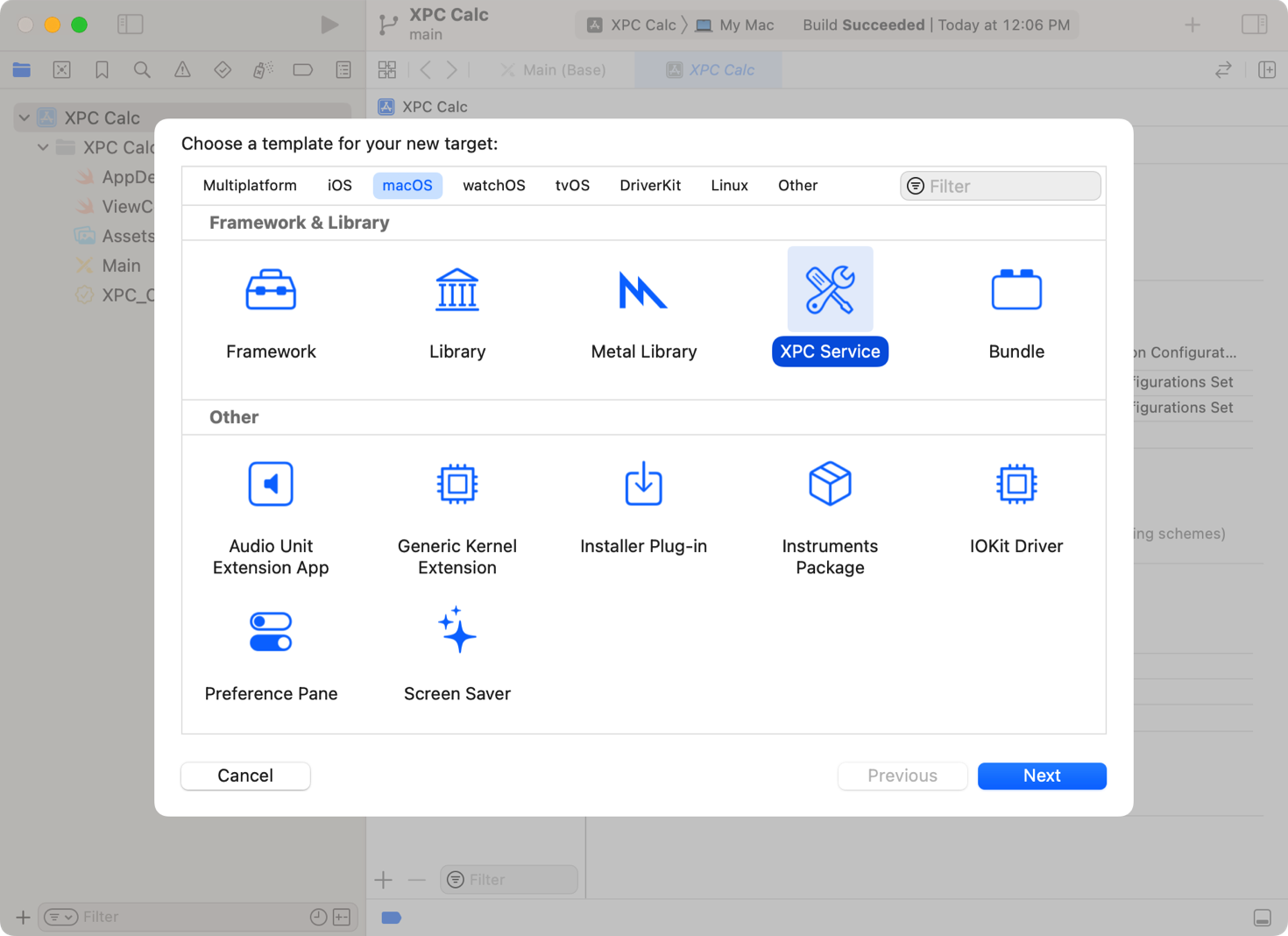
The XPC Service template provides a starting point for you to build the listener side of an XPC connection. To add a target, follow these steps:
1. Open your app or framework project in Xcode. 2. Choose File > New > Target. 3. Select the XPC Service from the Framework & Library section. 4. Click Next. 5. Specify the name for the service. 6. Select Low Level - libXPC for the API Level popup. 7. Click Finish.
Important: Take note of the bundle identifier value shown in the sheet when you enter the name and API level. Clients use this value to connect to the service.
When launchd launches an XPC service, it starts a process that runs the binary of the service. To perform tasks, the service creates an XPCListener with a service name and a closure to handle incoming session requests. For services in an app bundle or framework, the service name is the XPC service’s bundle identifier. After creating an XPCListener, the service must call dispatchMain()) to begin processing requests.
Each time a client initiates a session with the service, the system invokes the listener’s closure, passing an XPCListener.IncomingSessionRequest. The listener either accepts or rejects the request. If it accepts the incoming request, it provides a request-handling closure to receive the message the client sent. In this example, the service passes that message to a custom method, performCalculation(with:), to perform the task.
let serviceName = "com.example.XPC-Calc-Engine"

let listener = try XPCListener(service: serviceName) { request in
    request.accept { message in
        performCalculation(with: message)
    }
}

dispatchMain()
If the listener rejects the request, it provides a reason string to inform the client why it rejected the request.
// If a request can't be processed, reject the incoming request.
request.reject(reason: "Service unavailable.")
After creating the listener and accepting an incoming request, the service is ready to perform its defined task. In the example below, clients submit requests by passing an instance of a custom Codable type named CalculationRequest. The request contains two numbers that the service adds together. The service’s response to the request is an instance of CalculationResponse that contains the result of the addition.
// A codable type that contains two numbers to add together.
struct CalculationRequest: Codable {
    let firstNumber: Int
    let secondNumber: Int
}

// A codable type that contains the result of the calculation.
struct CalcuationResponse: Codable {
    let result: Int
}
The listener’s request-handling closure receives an XPCReceivedMessage parameter that contains the encoded object the client sent. To perform the task, the service decodes the message using the appropriate CalculationRequest type. To reply to the client, the service creates an instance of CalcuationResponse, populates it with the result of the calculation, and returns it.
func performCalculation(with message: XPCReceivedMessage) -> Encodable? {
    guard let request = try? message.decode(as: CalculationRequest.self) else { return nil }
    return CalcuationResponse(result: request.firstNumber + request.secondNumber)
}
With the connection and request-handling code in place, launchd can now hand off client requests to your XPC service.
When a client wants to use an XPC service, it creates a session with the service and then sends it a message. The following code shows how to set up an XPC session. In response to this request, launchd locates the service, launching it if necessary, and establishes a connection between the client process and the listener’s process.
let serviceName = "com.example.XPC-Calc-Engine"
let session = try XPCSession(xpcService: serviceName)
After creating the session, the client can send its request to the service. In the following code, the client creates the CalculationRequest with two numbers to add. While the client waits for a synchronous reply, the system sends the message to the service, arriving at the listener’s handler, as shown previously.
// Create a request with two numbers for the service to operate on.
let request = CalculationRequest(firstNumber: 23, secondNumber: 19)

// Send the message to the server, and wait for a synchronous reply.
let reply = try session.sendSync(request)
The system encodes the response from the listener in an instance of XPCReceivedMessage. The client decodes the response using the CalculationResponse type, and then processes the result.
if let response = try? reply.decode(as: CalcuationResponse.self) {
    // Do something with the result, such as display it in the UI.
    let result = response.result
}